Remote Interviews & Vodcasts
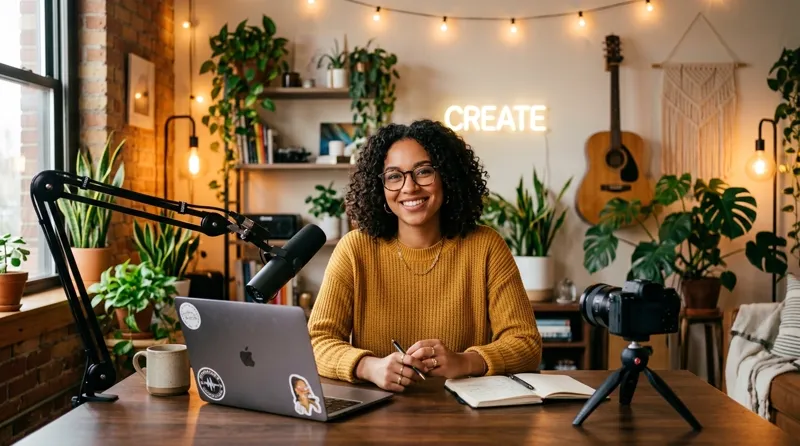
Give home studio and webcam recordings a polished, documentary-grade look by gently blurring domestic or office backgrounds.
Easily blur the background of your videos online using AI that lets you soften or blur unwanted backgrounds so your subject stands out, giving your videos a polished, professional look with just a few clicks.
Perfect for Content creators & influencers, Social media managers, presentations, and any situation where you want to draw focus
to the subject and reduce background distractions.
Click to upload or drag and drop
Supported formats: .mp4, .webm, .mov, .gif
Upload your video file
AI detects and isolates the subject
The background is blurred automatically
Download your finished video
The Video Background Blur tool uses artificial intelligence to apply an authentic depth-of-field bokeh effect to your footage. It automatically detects the subject and softens the background behind them, delivering a polished portrait look that conceals messy rooms or sensitive information without requiring expensive wide-aperture camera lenses.
Step-by-step instructions to get studio-quality results in seconds.
Drag and drop your MP4, MOV, or WebM video into the browser tool. Works with videos recorded on smartphones, webcams, or mirrorless cameras.
Our AI model analyzes every frame to isolate the foreground person or subject and generate an accurate depth-of-field segmentation map.
The background is softened with a smooth optical bokeh effect, making your subject stand out while retaining natural scene lighting and ambiance.
Preview the depth-blurred video in real time and download the full-resolution file without compression artifacts or watermarks on paid plans.
Built for creators, businesses, educators, and video editors worldwide.
Give home studio and webcam recordings a polished, documentary-grade look by gently blurring domestic or office backgrounds.
Obscure sensitive client information, office whiteboards, computer monitors, and unintentional bystanders in public spaces.
Elevate casual smartphone footage into cinematic portrait video with shallow depth of field without investing in expensive prime lenses.
Direct viewer focus entirely toward the demonstrated gadget, cosmetic item, or product package by eliminating background clutter.
Deliver high-impact asynchronous video proposals and leadership presentations that look professional and distraction-free.
Why professionals choose Video Background Changer for their video workflow.
Emulates wide-aperture camera lenses with realistic optical blur falloff and natural lighting.
Prevents cutout halos and maintains smooth transitions around hair, shoulders, and moving hands.
Operates smoothly across desktop and mobile browsers without requiring software installation.
Exports video up to 2K/4K resolution with identical frame rate and original audio quality intact.
Upload your video and the AI detects the subject, keeping it sharp while blurring everything behind it — creating a depth-of-field, cinematic look without a special camera lens.
Yes. The free plan lets you upload clips up to 10 seconds (30 MB) and preview the AI result before paying. Free exports carry a watermark; paid plans ($14.99/month, $59.99/year, or a $149.99 lifetime license) remove all duration limits and watermarks with no per-minute charges.
Blurring keeps the original setting for context while hiding clutter and distractions. It's popular for interviews, talking-head videos, video calls recordings, and product demos where a natural look matters.
No. Everything runs in your web browser on desktop or mobile — upload, blur, preview, and export without installing anything.
Yes. Any paid plan ($14.99/month, $59.99/year, or a $149.99 lifetime license) exports blurred videos with no watermark and no length limit. The free plan lets you preview the blur on your own footage first.
Yes. Because everything behind the subject is blurred, whiteboards, screens, documents, and bystanders in the background become unreadable — useful for interviews, office recordings, testimonials, and compliance-sensitive footage.
Yes. Pay As You Go credits let you buy a one-time bundle and export any video watermark-free without a subscription. 1 credit = 1 second of exported video, and credits never expire, so an unused balance just carries over to your next export.
Bundles start at $7.50 for 3 minutes and go up to $60 for 2 hours, with the per-minute rate dropping the larger the bundle — the biggest pack costs up to 80% less per minute than the smallest. Before you pay, the export screen shows exactly how many credits your specific video needs.
Credits suit occasional exports — you pay once and use the balance whenever you like. If you export regularly, a monthly or yearly subscription is unlimited for one flat fee and works out cheaper per video; the export screen shows both options side by side so you can compare for your own usage.