
In early 2026, CapCut quietly restructured its pricing: the old ~$8/month plan was renamed Standard, and a new Pro tier at $19.99/month was introduced. Background removal — previously a free, headline feature — now sits behind that Pro paywall, and even paying subscribers share a limited monthly pool of AI credits across every AI feature.
For creators who relied on CapCut for quick, frequent background swaps, that's a real workflow change: run out of credits mid-project and you're either waiting for next month's refresh or buying a top-up pack. This comparison looks at how Video Background Changer's flat-rate, unlimited model stacks up against CapCut's new credit system.
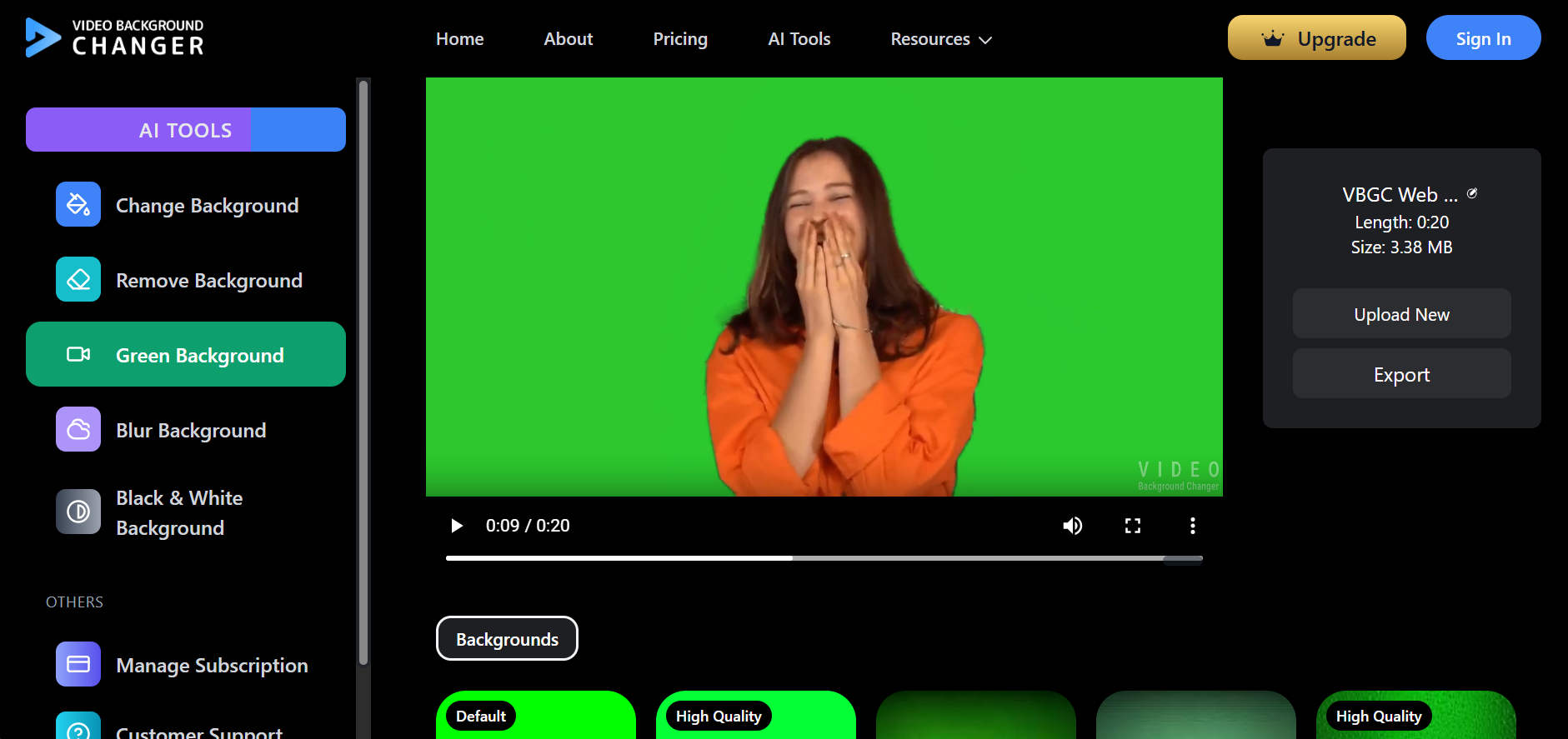
If you just want to remove a video background online without tracking a credit balance, test it on a real clip first and compare the export limits yourself.
Feature Comparison Table
Here's how Video Background Changer and CapCut Pro compare on the criteria that actually affect a real editing workflow:
| Criterion | Video Background Changer Free | Video Background Changer Standard | Video Background Changer Premium | CapCut |
|---|---|---|---|---|
| Price | $0/month | $14.99/month | $59.99/year | Free tier limited; Pro $19.99/month ($179.99/year) for full background removal access |
| Background removal access | Available (watermarked, 10s limit) | Full access | Full access | Free: ~30 seconds per clip only; full access requires Pro |
| Usage model | Unlimited processing | Unlimited processing | Unlimited processing | Pro includes ~200 AI credits/month shared across all AI features; extra credits cost $4.99-$19.99 per top-up |
| Watermark | Watermarked exports | No watermark | No watermark | Free exports may include watermark; Pro removes it while credits last |
| Video length limit | 20 seconds | Unlimited | Unlimited | Free: ~30 seconds; Pro: limited by credit balance, not a hard duration cap |
| Transparent export (alpha) | Not available | WebM with alpha, PNG sequence | WebM with alpha, PNG sequence | No native transparent/alpha video export |
| Runs in browser, no install | Yes | Yes | Yes | Full AI feature set requires the CapCut app (desktop or mobile) |
| Core tools | Change/Remove/Green screen/Blur/Black & White background | All Free tools + Custom Color and Custom Image background | Same as Standard | Background removal, templates, and general video editing suite |
| Support | Community support | Email support | Priority support | In-app help center |
| Criterion | Video Background Changer Free | Video Background Changer Standard | Video Background Changer Premium | CapCut |
|---|---|---|---|---|
| Price | $0/month | $14.99/month | $59.99/year | Free tier limited; Pro $19.99/month ($179.99/year) for full background removal access |
| Background removal access | Available (watermarked, 10s limit) | Full access | Full access | Free: ~30 seconds per clip only; full access requires Pro |
| Usage model | Unlimited processing | Unlimited processing | Unlimited processing | Pro includes ~200 AI credits/month shared across all AI features; extra credits cost $4.99-$19.99 per top-up |
| Watermark | Watermarked exports | No watermark | No watermark | Free exports may include watermark; Pro removes it while credits last |
| Video length limit | 20 seconds | Unlimited | Unlimited | Free: ~30 seconds; Pro: limited by credit balance, not a hard duration cap |
| Transparent export (alpha) | Not available | WebM with alpha, PNG sequence | WebM with alpha, PNG sequence | No native transparent/alpha video export |
| Runs in browser, no install | Yes | Yes | Yes | Full AI feature set requires the CapCut app (desktop or mobile) |
| Core tools | Change/Remove/Green screen/Blur/Black & White background | All Free tools + Custom Color and Custom Image background | Same as Standard | Background removal, templates, and general video editing suite |
| Support | Community support | Email support | Priority support | In-app help center |
The Credit Problem
CapCut's Pro plan bundles background removal with every other AI feature — avatar generation, text-to-video, auto-captions — into a single shared credit pool of roughly 200 credits a month. An avatar render alone can cost 20-40 credits, so a creator who also uses those features can burn through the monthly allowance in a week or two, well before background removal work is done. When credits run out, the choice is: wait for the next billing cycle, or buy a top-up pack priced $4.99 to $19.99. For anyone doing background removal regularly — weekly podcast clips, recurring product shoots, ongoing social content — that turns a fixed subscription cost into an unpredictable, usage-based bill. Video Background Changer doesn't meter background removal at all on paid plans. Whether you process one video or a hundred in a month, the price stays the same.
Pricing Philosophy Differences
If budget predictability matters more than a bundled all-in-one editing suite, it helps to see plan pricing in one place before committing to a credit-based subscription. CapCut's strength is being a full video editor with background removal as one feature among many — useful if you need captions, templates, and effects in the same app. Video Background Changer is built specifically around background workflows: remove, replace, blur, chroma key, and AI-generated scenes, with unlimited use on every paid tier.
Frequently Asked Questions
Why isn't CapCut's background removal free anymore? In early 2026, CapCut restructured its paid plans: the old ~$8/month plan was renamed Standard, and a new Pro tier at $19.99/month was introduced. Background removal now sits behind Pro, and even then it runs on a monthly AI credit allowance rather than unlimited use.
How do CapCut's AI credits work? Pro includes roughly 200 AI credits a month, shared across every AI feature. Background removal, avatar rendering, and text-to-video all draw from the same pool, so heavy users can run out within a week or two and need to buy top-up packs ($4.99-$19.99) to keep working.
Is Video Background Changer really unlimited? Yes. Paid plans are flat-rate — $14.99/month, $59.99/year, or a $149.99 lifetime license. There are no credits and no per-minute charges, so you can process as many videos as you want without watching a meter.
Which should I pick if I need a full editing suite, not just background removal? CapCut's all-in-one app makes sense if captions, templates, and general editing matter as much as background removal. If background removal is the main job and predictable cost matters more, Video Background Changer's unlimited model avoids the credit-tracking overhead entirely.
Want the full side-by-side breakdown? See the CapCut alternative comparison page for the complete feature table and migration steps.
Conclusion
CapCut and Video Background Changer solve different problems. CapCut is a full video editor with background removal as one of many AI features competing for a shared, depleting credit pool. Video Background Changer is a dedicated background removal and replacement tool with genuinely unlimited processing on every paid plan. If you've hit CapCut's new Pro paywall or burned through your monthly credits mid-project, Video Background Changer's $14.99/month flat rate — or the $149.99 lifetime license — removes the guesswork of credit-based pricing entirely.