
Transform your videos with our Black & White Background Changer, a powerful AI-powered tool that instantly converts any video background to grayscale while keeping the main subject in vibrant full color. This creates a timeless, cinematic effect that draws immediate attention to the speaker, product, or key element in your video.
Using advanced AI, the tool automatically detects the subject, separates it from the background, and applies a clean black-and-white filter. The result is sharp, professional footage with smooth motion, crisp edges, and no visual distractions. No green screen, no complex software, and no editing skills required – everything happens right in your browser.
So, you want to add that clean, black-and-white backdrop to your videos, right? Well, you won't believe this, but it's way easier than most people think. Let's break it down in the simplest way possible.
Why Choose a Black and White Background?
Why choose a black-and-white background? It delivers a classic, artistic style perfect for storytelling, vlogs, tutorials, or promotional content. It reduces noise from busy backgrounds, making your message clearer and more engaging for viewers on platforms like YouTube, Instagram, TikTok, or LinkedIn.
Here's what makes black-and-white backgrounds so effective:
• Instant focus on your subject for stronger impact
• Professional look without production costs
• Timeless, cinematic effect that draws immediate attention
• Ideal for creators, educators, marketers, and presenters
• Reduces visual distractions from cluttered backgrounds
Plus, can you imagine how polished your videos will look with that minimal, contrasting background? This style is perfect for YouTubers, product demos, interviews, tutorials, basically anything where you want your viewers dialed in.
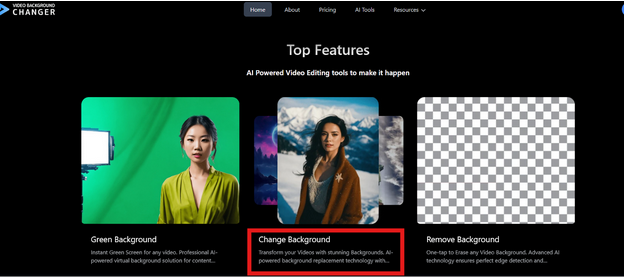
Step 1: Upload Your Video (Yep, That's All)
Next, head over to the Black & White Background section on Video Background Changer. • It's right here: videobackgroundchanger.com/black-white-background
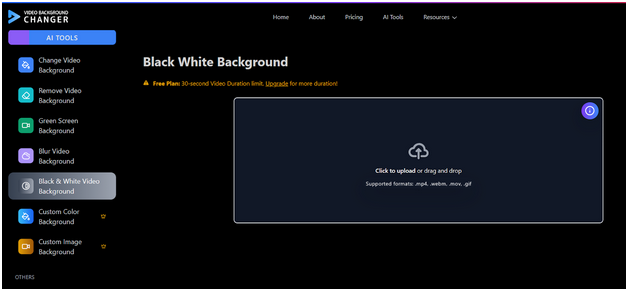
Then, just upload your video. • No need to worry about formats or sizes — the AI handles that for you.
Quick question: Ever tried editing before and got stuck on "importing media"? Yeah… not happening here.
Step 2: Let the AI Detect Your Subject
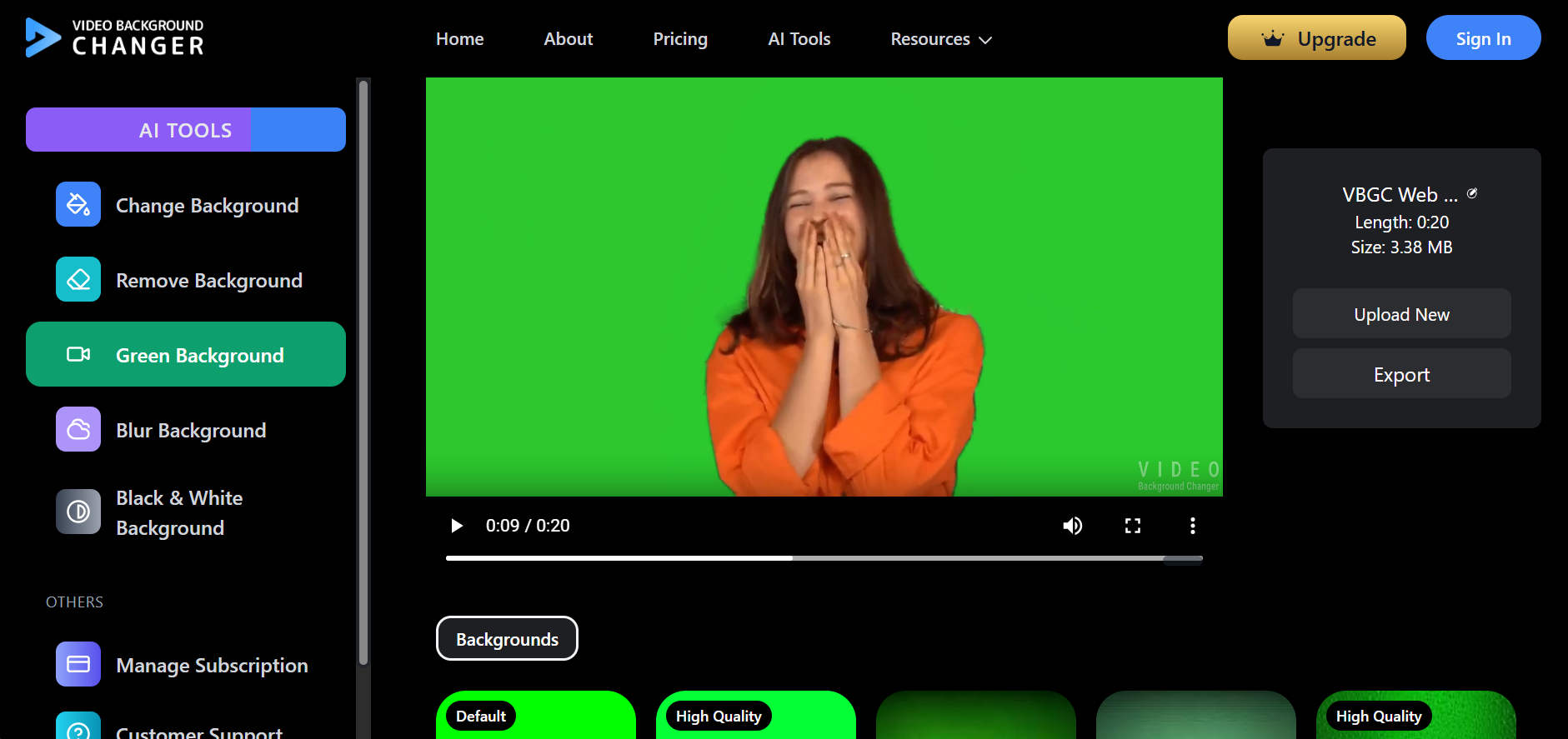
Well, this is where the magic happens. Once your video is uploaded, the AI automatically detects your subject — your face, your body, your product, whatever. You don't need to draw outlines, adjust sliders, or do that tedious frame-by-frame stuff. It's literally automatic. • Just wait a few seconds.
Step 3: Apply the Black & White Backdrop
Then, select the "Black & White Background" effect. After that, the entire backdrop of your video transforms into a clean monochrome look. The subject stays in full color (or you can make the whole thing black and white if you want). And yup — no editing experience needed.
Step 4: Preview and Download
Finally, hit preview.
If everything looks good — and it usually does — download your finished video.
That's it. You're done.
Kind of wild, right? A studio-quality Black and White Backdrop for Videos in minutes and without learning any complicated software.
Tips to Make Your Black & White Backdrop Look Even Better
Here's what I think will help:
• Use decent lighting - Even basic lighting helps the AI find your edges perfectly.
• Wear colors that contrast - This makes you stand out even more against the monochrome background.
• Keep your movement smooth - The AI tracks well, but smooth movements always look more natural.
• Try different variations - You can combine effects like blur + black-and-white for a cinematic feel.
What do you think? Easy enough?
Why Use VBGC's Black & White Background Changer?
Key benefits of our Black & White Video Background Changer include:
Advanced AI Technology: • Automatically detects the subject and separates it from the background • Applies clean black-and-white filter with precision • Sharp, professional footage with smooth motion and crisp edges • Works without green screen or complex software
User-Friendly Features: • No software installs required • No editing knowledge needed • Everything happens right in your browser • Fast online rendering for quick results
Flexible Plans: • Start for free today with full processing capabilities • Free plan includes watermark on exports • Upgrade to paid plans for watermark-free, higher quality results • Supported formats work seamlessly for all content types
Perfect For: • Short-form content and social media videos • Online courses and educational content • Corporate videos and presentations • Vlogs, tutorials, and promotional content
Honestly, it's one of the simplest ways to create a Black and White Backdrop for Videos without touching complicated editing tools.
Frequently Asked Questions
-
Can I create a black and white backdrop without editing experience? Yes! Video Background Changer uses AI to automatically detect your subject and apply the black and white effect. Just upload, select the background option, and export.
-
Do I need a green screen? No green screen required. The AI works with regular footage from any location — bedroom, office, living room, anywhere.
-
Is this effect free? Basic background removal is free. Custom colors and images require a paid plan with very competitive market rates.
-
Can I upload my own background image? Yes, with a paid plan you can upload branded walls, studio images, or logo patterns as custom backgrounds.
-
Will video quality be affected? Video Background Changer maintains high resolution and sharp subject quality. Good source video produces crisp, export-ready results.
-
What are the video length limits? Limits depend on your plan. Short clips work great on all plans, while longer videos may require upgraded plans.
-
Does it work on mobile devices? Yes, it works in mobile browsers, though desktop editing provides smoother control for regular content creation.
Conclusion
Creating a professional black and white backdrop for your videos has never been easier. With our AI-powered Black & White Background Changer, you can transform any ordinary footage into polished, studio-quality content in just minutes.
The key to success is simplicity — no complex software, no technical skills required, just upload and let the AI do the work. Our tool creates a timeless, cinematic effect that draws immediate attention to your subject while reducing visual distractions from busy backgrounds.
Whether you're creating content for YouTube, Instagram, TikTok, LinkedIn, or professional presentations, a clean black and white backdrop instantly elevates your video's impact. The advanced AI automatically detects your subject, separates it from the background, and applies the perfect grayscale filter for sharp, professional results.
Start for free today and experience the difference. Upload your video, let the AI handle the processing, and download your transformed content. Give your videos a polished, focused edge that stands out in today's crowded digital landscape — try the Black & White Background Changer now and elevate your content effortlessly.