Transparent video has become a core building block of modern web design. From animated UI elements to hero sections, product walkthroughs, and interactive landing pages, designers and developers increasingly want videos that blend seamlessly into the page — without a visible background.
That's where WebM with alpha transparency comes in.
In this guide, we'll explain what transparent WebM videos are, how alpha channels work, which codecs support them, how to export them correctly, and how to use them on real websites — including a live transparency demo you can inspect and test yourself.
This article is written for web developers, designers, SaaS founders, and marketers who embed videos directly into websites and care about performance, compatibility, and SEO.
What Is WebM with Alpha Transparency?
A transparent WebM is a video file that contains an alpha channel — a special layer that defines which parts of each frame are visible and which parts are transparent.
Think of it like this:
• Normal videos are rectangles filled edge-to-edge with pixels
• Transparent videos allow parts of that rectangle to be invisible
• Whatever is behind the video (a color, image, or layout) shows through
What Is an Alpha Channel?
An alpha channel is simply a transparency mask:
• White areas = fully visible
• Black areas = fully transparent
• Gray areas = partially transparent
This is the same concept used in PNG images — but applied frame-by-frame to video.
The result: motion graphics, UI animations, or people overlays that float naturally on your page instead of sitting inside a box.
Does WebM Support Transparency?
Yes — WebM supports transparency, but only under specific conditions. Transparency depends on the codec used inside the WebM container, not the container itself.
WebM Codecs That Support Alpha
| Codec | Alpha Channel Support | Status |
|---|---|---|
| VP8 | ✅ Yes | Supported, older |
| VP9 | ✅ Yes | Preferred, modern |
| AV1 | ⚠️ Limited | Emerging |
Recommended Choice
WebM with VP9 + alpha channel is currently the best option for transparent video on the web.
It provides:
• Better compression than VP8
• Smaller file sizes
• Higher visual quality
• Wide browser support (except Safari)
Why MP4 Does NOT Support Transparency
This is one of the most common points of confusion.
MP4 does not support alpha transparency for web playback.
Even though some professional formats inside the MP4 container can store alpha (e.g., ProRes 4444), browsers do not render alpha channels from MP4 files.
In practice:
• MP4 videos always render with a solid background
• Transparency is flattened at export
• Any "transparent MP4" you see online is either fake or converted at playback
For websites, WebM is the only practical choice for transparent video today.
Can You Convert MP4 to Transparent WebM?
If your MP4 has a baked-in background, you’ll need to remove the background from a video first (using AI removal, keying, or rotoscoping) before exporting a transparent WebM.
When Conversion Is NOT Possible
If your MP4:
• Has a baked-in background
• Contains no alpha channel
• Was recorded normally with a visible environment
Then you cannot magically recover transparency. Video compression permanently removes that information.
When Conversion IS Possible
You can convert MP4 to transparent WebM when:
1. The Background Is Removed First
Using:
• Green screen keying
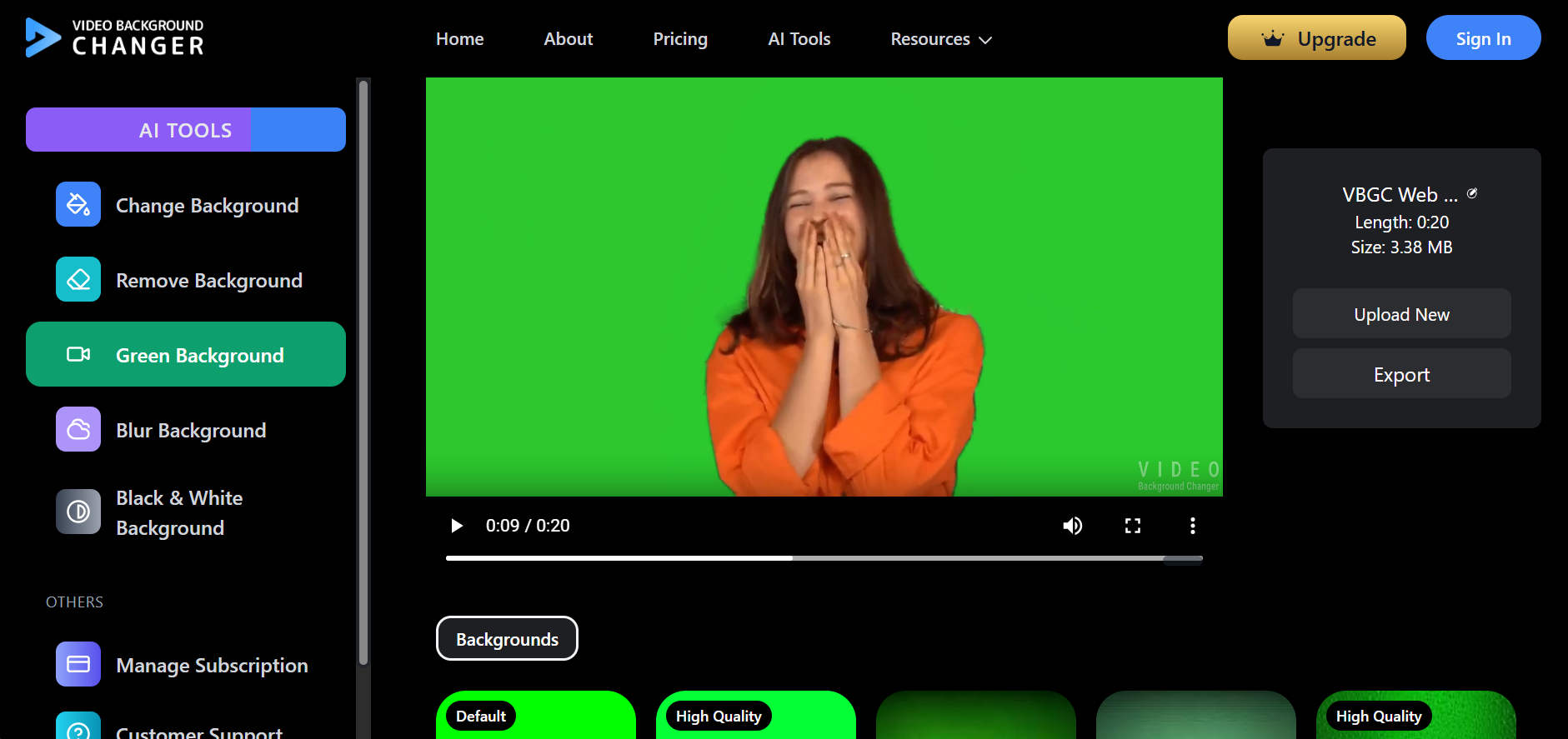
For teams starting with keying, a green screen background workflow is often the fastest way to generate clean transparency before encoding VP9 WebM.
• AI background removal
• Manual rotoscoping
Once the background is removed, transparency exists — and can be preserved in WebM.
2. The MP4 Came from a Transparent Source
Examples:
• ProRes 4444 exports
• PNG sequence animations
• Motion graphics with alpha
These can be re-encoded into WebM with alpha intact.
WebM does not create transparency — it preserves it.
How to Export WebM with Transparency
Exporting WebM with alpha requires correct codec and settings. Below are the most common production workflows.
Exporting from After Effects (Conceptual Steps)
After Effects supports alpha-enabled exports via third-party encoders or render pipelines.
General principles:
• Composition background must be transparent
• Render with an alpha-capable codec
• Convert to WebM VP9 with alpha
Many teams export a PNG sequence as an intermediate—if that’s new to you, see PNG sequence explained before encoding VP9 WebM with alpha.
Exporting from Blender
Blender offers native control over transparency.
Typical steps:
- Enable transparent background in render settings
- Set output format to WebM
- Select VP9 codec
- Enable RGBA color mode
- Export animation
This is one of the cleanest pipelines for UI animations.
Exporting with FFmpeg (Command-Level Explanation)
FFmpeg allows precise control over alpha encoding.
Conceptually, you need to:
• Use VP9 codec
• Enable alpha pixel format (yuva420p)
• Preserve transparency during encoding
FFmpeg is ideal for automation pipelines, CI/CD video processing, and batch exports.
Online Tools for WebM with Transparency
Online tools typically handle:
• AI background removal
• Green screen removal
• Export to WebM with alpha
These tools are useful for:
• Marketers
• SaaS landing pages
• Non-technical users
However, always verify codec and transparency before publishing.
Live Demo: How Transparent WebM Works on a Website
How Transparency Is Proven in the Demo
• The background is a CSS gradient
• Text sits behind the video
• The video floats above without blocking content
• Transparent regions reveal everything beneath
Best-Practice HTML Video Attributes
For transparent WebM videos, always include:
• autoplay
• muted (required for autoplay)
• loop
• playsinline
These ensure smooth playback across browsers and devices.
Performance & SEO Benefits of WebM Transparency
Why WebM Is Better Than GIF
| Aspect | WebM | GIF |
|---|---|---|
| File size | Smaller | Very large |
| Compression | Modern | Outdated |
| Frame rate | High | Limited |
| Transparency | Yes | Yes |
| CPU usage | Low | High |
A short transparent WebM can be 10–20× smaller than a GIF.
Page Speed & Core Web Vitals
Transparent WebM videos help:
• Reduce page weight
• Improve Largest Contentful Paint (LCP)
• Lower Total Blocking Time (TBT)
Faster pages mean:
• Better SEO signals
• Higher engagement
• Improved conversion rates
If you’re still using GIFs for UI motion, you might also want to remove background from a GIF online — but for most web use cases, transparent WebM will load faster and look smoother.
Browser Compatibility & Fallback Strategies
Browser Support
| Browser | Transparent WebM |
|---|---|
| Chrome | ✅ Full |
| Edge | ✅ Full |
| Firefox | ✅ Full |
| Safari | ❌ Limited |
Safari currently lacks reliable WebM alpha support.
Recommended Fallbacks
• Serve WebM to supported browsers
• Provide static PNG fallback for Safari
• Use feature detection instead of user-agent sniffing
This ensures consistent design without breaking layouts.
Troubleshooting Common Issues
Transparency Not Visible
• Wrong codec used
• Alpha channel stripped during export
Black Background Appears
• Exported without RGBA
• Browser fallback playing MP4 instead
Safari Shows Solid Background
• Safari does not support WebM alpha
• Use fallback image
Video Plays but Looks Wrong
• Incorrect pixel format
• Re-encode using VP9 + alpha
Comparison: Transparent Video Formats
| Format | Transparency | File Size | Performance | Browser Support |
|---|---|---|---|---|
| WebM (VP9) | ✅ Yes | Small | Excellent | Good |
| MP4 | ❌ No | Small | Excellent | Universal |
| GIF | ✅ Yes | Huge | Poor | Universal |
| Lottie | ✅ Yes | Tiny | Excellent | JS required |
| APNG | ✅ Yes | Medium | Moderate | Limited |
WebM offers the best balance for real video transparency on the web.
Frequently Asked Questions
Does WebM support alpha transparency?
Yes. WebM supports transparency when encoded with VP8 or VP9 using an alpha channel.
Is WebM better than GIF?
Yes. WebM is significantly smaller, smoother, and more efficient than GIF while supporting transparency.
Can Safari play transparent WebM?
Currently, Safari does not reliably support WebM with alpha transparency. A fallback is recommended.
Is WebM good for SEO?
Yes. Smaller file sizes and faster load times improve page speed metrics and Core Web Vitals.
Conclusion
WebM with alpha transparency unlocks a new class of lightweight, high-performance, visually integrated video experiences for the modern web.
When used correctly, it replaces bulky GIFs, improves performance, and allows designers to build interfaces that feel fluid and native to the page — not boxed in by video rectangles.
If you care about speed, UX, and modern web standards, transparent WebM is no longer optional — it's foundational.